How does Odoo CRM actually work — how do you manage leads, opportunities, and sales forecasting in it day to day? Instead of prospect data scattered across spreadsheets, emails, and disconnected tools, Odoo CRM gives you one visual pipeline where every opportunity is tracked from first contact through to Won or Lost.
For growing companies in Germany, Europe, and the USA, the real value is that CRM isn't isolated — it connects directly to Accounting, Inventory, Manufacturing, and E-Commerce inside the same system.
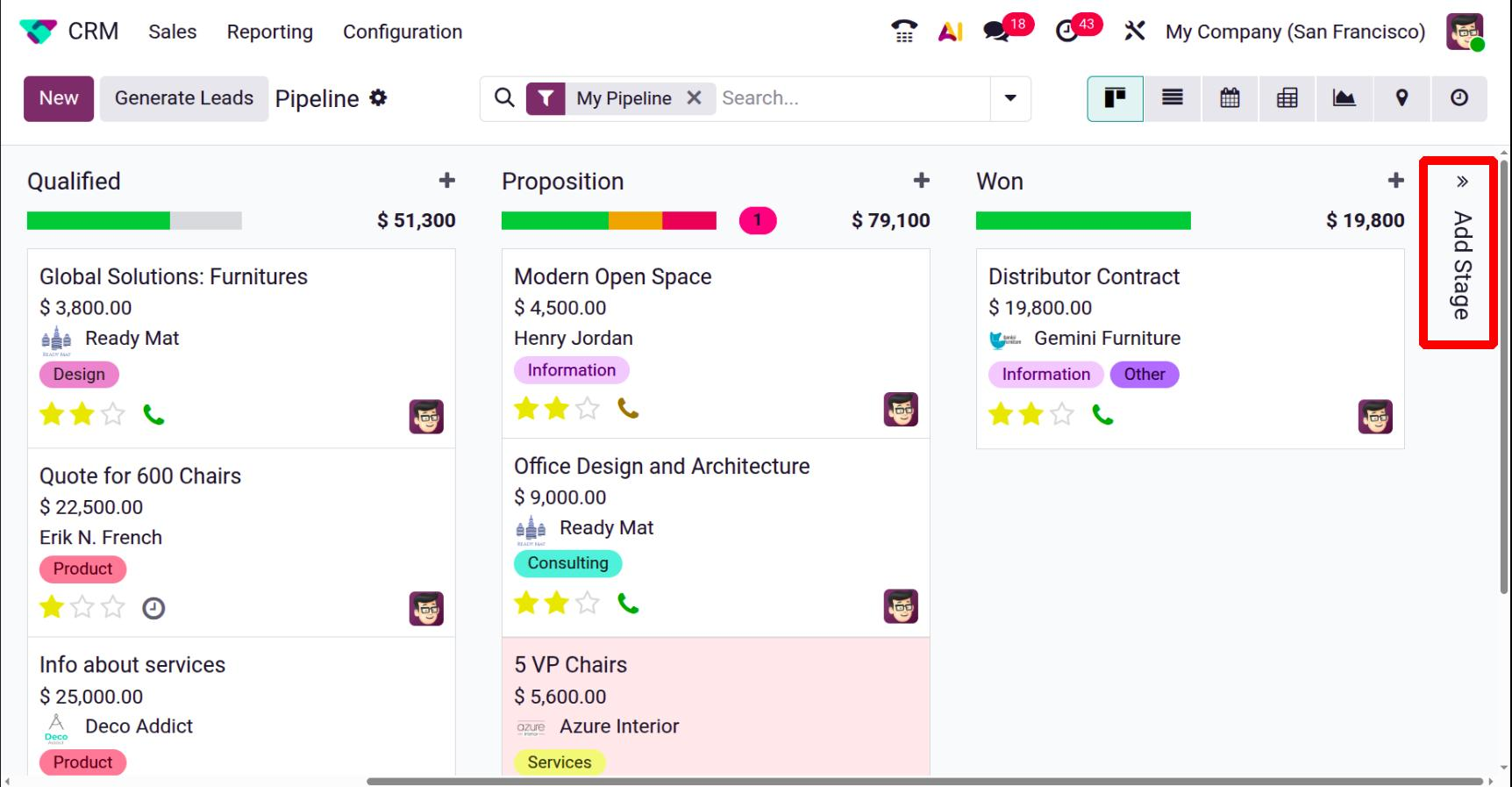
7-Step Breakdown: How Odoo CRM Works
┌─────────────────────────────────────────────────────────────────────────────┐ │ Odoo CRM Sales Funnel Lifecycle │ ├──────────────┬──────────────┬──────────────┬───────────────┬────────────────┤ │ 1. Capture │ 2. Qualify │ 3. Pipeline │ 4. Activity │ 5. Convert │ │ Web / Email │ Assign / Tag │ Kanban Stages│ Schedule Call │ Create Quote │ └──────────────┴──────────────┴──────────────┴───────────────┴────────────────┘
1. Automated Lead Capture
Prospects enter your sales funnel automatically from multiple acquisition channels:
- Website Contact Forms: Inbound queries generate instant lead cards.
- Email Gateways: Incoming emails to sales aliases create trackable records.
- API & E-Commerce: Integrations pull prospects directly from platforms like Shopify or custom web portals.
- Manual Entry: Direct input during trade shows or inbound calls.
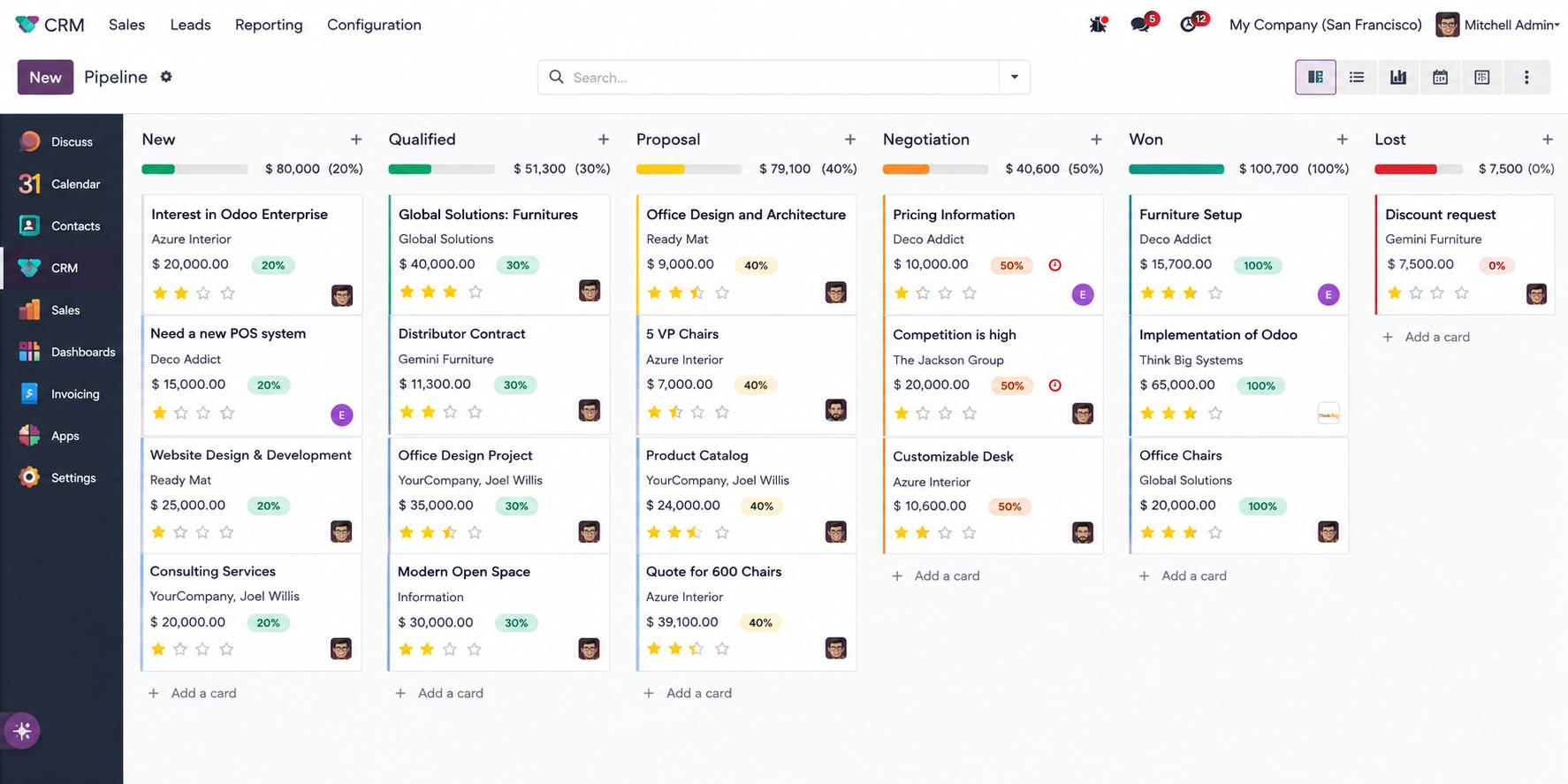
2. Lead Qualification & Scoring
Before clogging the main pipeline with unverified contacts, sales reps can qualify prospects within a dedicated Leads view.
- Review key company metrics, contact details, and initial requirements.
- Assign lead scores based on geographic, financial, or demographic criteria.
- Route qualified leads to specific sales teams (e.g., DACH Region, US Enterprise).
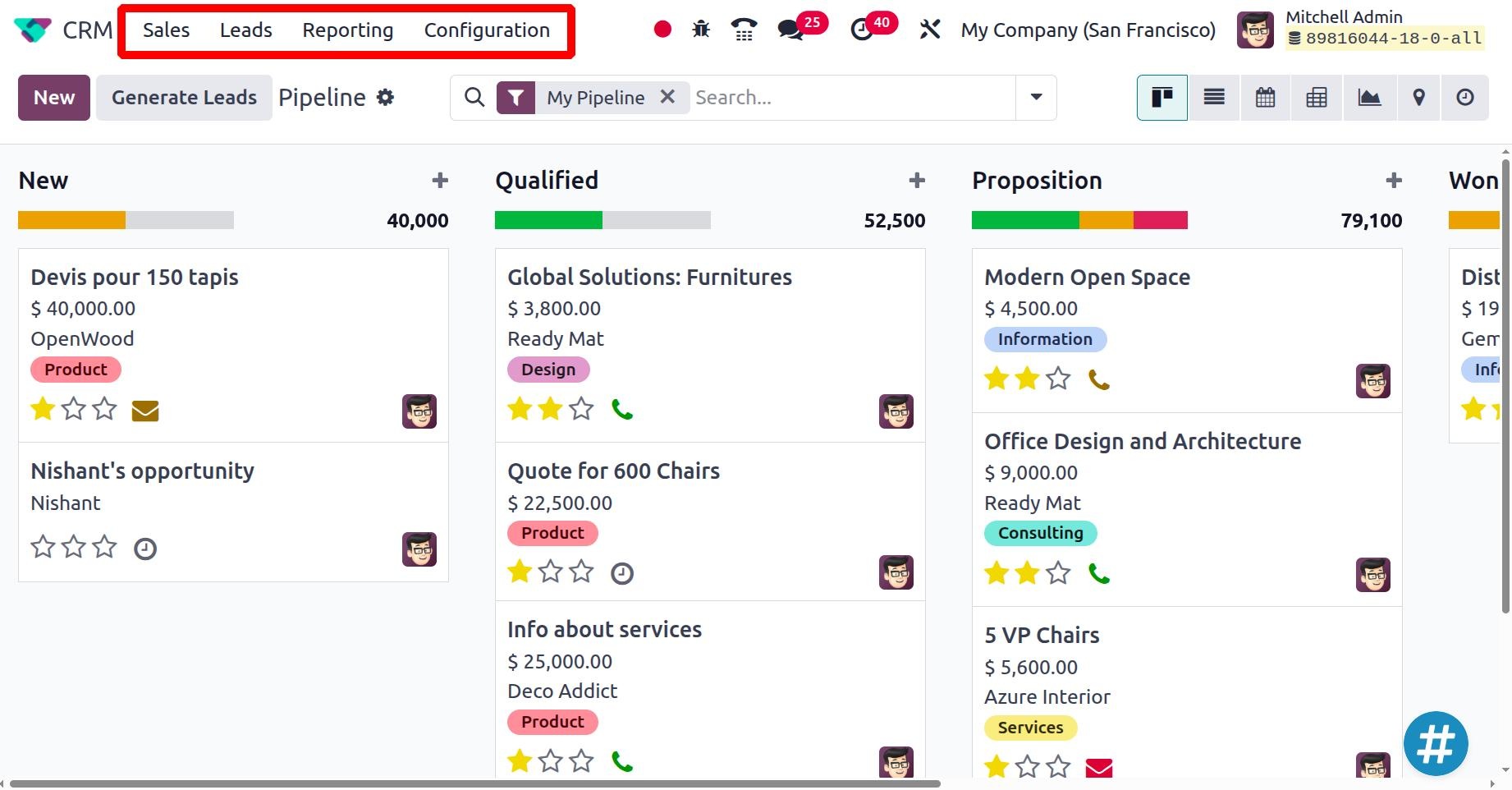
3. Converting Leads to Opportunities
Once a prospect demonstrates true commercial intent, a single click converts the lead into an Opportunity.
- Link the opportunity to an existing customer profile or create a new contact card.
- Assign expected revenue values and close probabilities.
- Pass the record directly into your active Kanban sales pipeline.
4. Managing the Visual Sales Pipeline
The core of Odoo CRM is its intuitive, drag-and-drop Kanban view.
┌──────────────┐   ┌──────────────┐   ┌──────────────┐   ┌──────────────┐
│     NEW      │──►│  QUALIFIED   │──►│   PROPOSAL   │──►│  NEGOTIATION │
└──────────────┘   └──────────────┘   └──────────────┘   └──────────────┘
Sales managers gain full visibility over team workloads, pending deals, and deal values across each stage. Stages can be fully customized to mirror your specific sales methodology.
5. Automated Follow-Ups & Activity Scheduling
To prevent deals from stalling, Odoo enforces disciplined sales follow-ups through integrated activities:
- Scheduled Calls & Meetings: Sync directly with Google Calendar or Outlook.
- Automated Next Steps: Trigger tasks automatically when a deal enters a new stage.
- Chatter Communication History: Log emails, internal notes, and call summaries directly inside the deal record.
6. Seamless Quotation & Order Creation
When a customer requests a commercial proposal, sales reps convert the CRM opportunity directly into an official Odoo Sales Quotation.
- Pre-populates customer data, pricing lists, and payment terms.
- Automatically reserves inventory or triggers price calculations.
- Syncs with downstream Odoo implementation services for automated invoicing.
7. Deal Closure & Lost Reason Analysis
Marking deals as Won updates forecasted revenue automatically. Marking deals as Lost prompts sales reps to log a specific reason (e.g., Price, Competitor, Missing Feature).Analyzing lost reasons helps management refine pricing strategies and address product gaps.
Odoo CRM Reporting & Sales Forecasting
Odoo CRM provides real-time reporting dashboards for sales executives and finance teams:
| Report Type | Primary Metrics Tracked | Strategic Value |
|---|---|---|
| Pipeline Analysis | Deal velocity, stage conversion rates, average deal size | Identifies sales bottleneck stages |
| Revenue Forecast | Weighted expected revenue (Expected Value = Total × Probability) | Improves cash flow predictability |
| Activity Performance | Completed calls, meetings held, overdue follow-ups | Measures individual salesperson efficiency |
Real-World Implementation & Enterprise Adaptation
CRM configuration goes beyond a default install — it means aligning the pipeline stages, scoring rules, and automations with how your sales team actually sells, not how the software assumes they do. I've configured Odoo CRM across Odoo 17, Odoo 18, and Odoo 19 for clients including Volition Components.
Key considerations for international deployments:
- European entities (DACH): GDPR communication consent rules, and integration with DATEV accounting workflows.
- Multi-currency operations: Sales pipelines across USD, EUR, and GBP with real-time exchange rate updates.
- Workflow automation: Custom server actions that cut manual record management — see Odoo automation for what that looks like in practice.
Frequently Asked Questions
What is the difference between a Lead and an Opportunity in Odoo?
A Lead is an unverified contact or inquiry (e.g., a newsletter subscriber or contact form submission). An Opportunity is a qualified prospect with confirmed sales potential, an estimated budget, and an assigned position in your sales pipeline.
Can Odoo CRM connect to my external website or webshop?
Yes. Odoo CRM natively integrates with the Odoo Website builder and connects to external platforms like Shopify, WooCommerce, or custom web portals through Odoo integration services.
Is Odoo CRM included in the main Odoo subscription?
Yes. Odoo's Standard and Custom plans include full access to the entire suite of Odoo applications, including CRM, Sales, Invoicing, and Inventory.
Scale Your Sales Operations with Odoo
A well-configured Odoo CRM turns raw customer data into a predictable sales engine instead of a pile of untracked follow-ups. Whether you're migrating off Salesforce or HubSpot, or just moving away from spreadsheets, the process design matters more than the software switch itself — get that wrong and you've just rebuilt the same mess in a new tool.
Planning a CRM deployment or upgrade? Get in touch and we can talk through what your pipeline actually needs.
